 BattDial
Why does a BM6 or BM2 battery monitor app ask for location?
You only want to see your car battery voltage, but the app wants your location. In most cases this is an Android rule for Bluetooth scanning, not a sign that the app tracks you. Here is why, and how to keep access to a minimum.
The short answer
Bluetooth Low Energy devices, such as BM2 and BM6 style monitors, are found with a Bluetooth scan. A Bluetooth scan can reveal where you are (shops and airports use Bluetooth beacons for indoor positioning), so Android treats scanning as location access:
- Android 11 and older: an app needs the location permission to get any Bluetooth scan results, and on many phones the Location switch must be on during the scan.
- Android 12 and newer: there is a separate "Nearby devices" permission. An app can promise Android that it never uses scans for location, but then Android hides beacon-format signals from it. Some older BM2 monitors send exactly that kind of signal, so an app that wants to find them still has to ask for location.
The details are in Android's own documentation: Bluetooth permissions.
Does the app actually use my location?
The permission alone does not tell you. An app with the location permission could read your GPS position, or it could use the permission only to scan. To check a particular app:
- Open its Google Play page and read the Data safety section: it lists whether the app collects or shares location.
- On your phone, open Settings › Location › App location permissions (the names vary by phone). Android also shows a location icon or a privacy indicator when an app uses location.
- Read the app's privacy policy, linked from its Play page.
How to give as little access as possible
- When Android asks, choose "While using the app" or "Only this time". A battery monitor app never needs "Allow all the time".
- If the app keeps working after the first setup, you can set the permission back to "Don't allow" in Settings and see whether it still connects to your saved monitor. Many apps only need location while scanning for a new device.
- Android 12 and newer show a choice between precise and approximate location. For Bluetooth scanning Android requires precise location, so with "approximate" the scan may find nothing.
- If the Location switch is off and the scan finds nothing on an older phone, turn it on just for the scan and off again afterwards.
How BattDial handles location
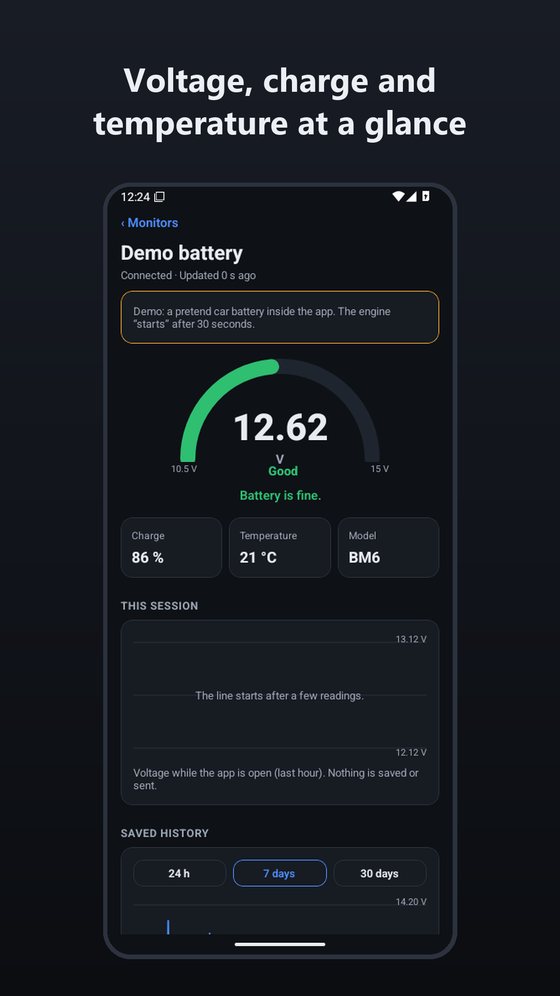
BattDial reads BM2, BM6 and BM7 (BM300 Pro) style monitors. It asks for location only when you tap "Scan for monitors", and shows a short explanation first.
- BattDial never reads, records or shares your location: the app contains no location code at all.
- On Android 12 and newer you can tap "Not now" and it still scans with "Nearby devices" only; only some older BM2 monitors may then be missing from the list.
- Opening a monitor you have already saved needs Bluetooth only, not location.
- No background location, and the app does not run in the background.
For Android phones · Runwith (Auto Ace LLC)
Questions and answers
Is it safe to give a battery monitor app the location permission?
The permission is required by Android for Bluetooth scanning. Check the app's Data safety section on Google Play to see whether it says it collects or shares location, and choose "While using the app" rather than "Allow all the time".
Why does the monitor not show up when I refuse location?
On Android 11 and older, scans return nothing without the location permission. On Android 12 and newer, beacon-format signals, used by some older BM2 monitors, are hidden from apps that scan without location.
Do I need the Location switch on all the time?
No. On phones that need it, it only has to be on while the app scans for a new monitor.