 BattDial
BM6 or BM2 battery monitor won't connect: what to check
The app searches and finds nothing, or it finds the monitor and then loses it. Most of the time the cause is on the phone side, not a broken monitor. Work through these checks in order.
1. Only one app at a time
These monitors accept one connection at a time. If another app (for example the monitor maker's app, or a second phone in the car) is connected, every other app sees nothing. Close the other app completely: on Android, Settings › Apps › (the app) › Force stop, or turn Bluetooth off on the other phone.
2. Permissions and switches
- Bluetooth is on.
- Android 12 and newer: the app has the Nearby devices permission.
- Android 11 and older: the app has the location permission and the phone's Location switch is on while scanning (an Android rule for Bluetooth scans). See why battery monitor apps ask for location.
- Battery saver or "app sleeping" settings can stop an app from scanning. Try with battery saver off.
3. Do not pair it in Android's Bluetooth settings
These monitors are normally not paired in Android's Bluetooth menu: the app finds them by scanning. If you paired the monitor there, choose Forget (unpair) and search again from the app.
4. Distance and metal
A monitor under the bonnet sits inside a metal box. From the driver's seat it may work; from the house it often does not. Test standing next to the car with the bonnet open. If it connects there, the problem is range, not the monitor.
5. Power to the monitor
- Check that both clamps or ring terminals are tight on the battery posts.
- If the lead has an inline fuse, check it.
- A battery that is completely flat may not power the monitor at all.
6. Reset the phone's Bluetooth
Turn Bluetooth off and on, then restart the phone. Android's Bluetooth stack sometimes gets stuck after many connections, and a restart clears it.
7. Keeps disconnecting?
Short drops are normal at the edge of the range or when the phone locks the screen and saves power. An app that reconnects by itself saves you from tapping "connect" every time.
Trying another app: BattDial
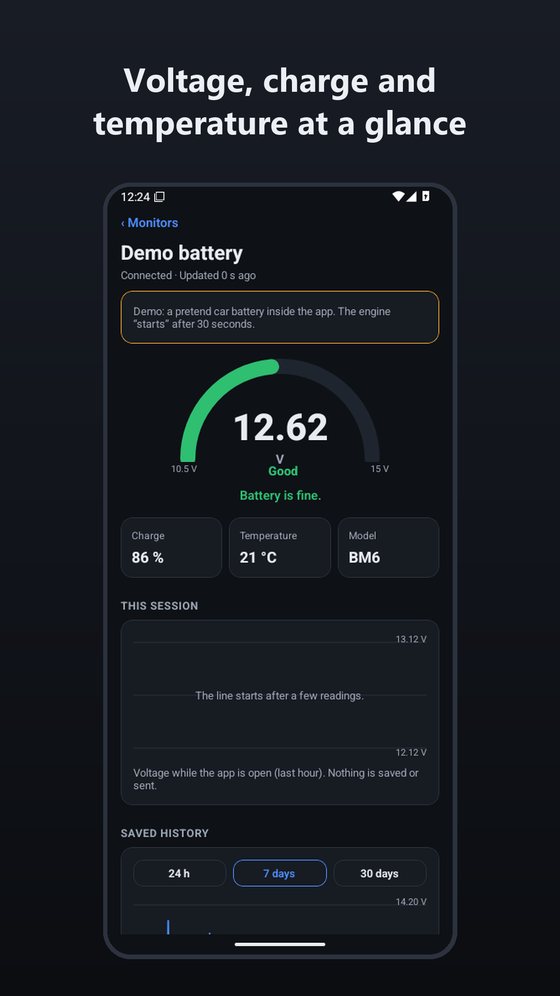
BattDial reads BM2, BM6 and BM7 (BM300 Pro) style monitors and many rebadged versions in one app. It is useful as a second opinion when the maker's app cannot connect: if BattDial finds the monitor, the monitor is fine.
- Opens the monitor you used last and reconnects by itself if the link drops.
- Close the maker's app first: only one app can connect at a time.
- If BattDial cannot read your monitor, press "My monitor is not read": it opens an email to us with what the app saw (never the device address), which you read before sending.
- Demo mode lets you try the app without a monitor.
For Android phones · Runwith (Auto Ace LLC)
Questions and answers
Why does my BM6 not show up in the app?
The most common reasons are another app already connected to it, a missing Bluetooth or location permission, or the phone being too far away from the car.
Do I need to pair the BM2 in Bluetooth settings?
Normally no. The app finds the monitor by scanning. If it is paired in Android's settings, unpair it and search from the app.
Can two phones read the monitor at once?
No. These monitors accept one connection at a time, so the second phone sees nothing until the first one disconnects.