 BattDial
Battery monitor shows the wrong voltage or wrong %
Your monitor says 12.1 V and 30 %, but the car starts fine. Or the percentage jumps around. Usually the reading is correct for the moment it was taken, and the conditions are the problem. Here is how to check.
1. Compare at the battery posts
Measure with a multimeter directly on the battery posts (not on the cable clamps) at the same moment the monitor reads. If the two agree within about 0.1 V, the monitor is fine and the battery really is at that voltage.
If they differ by more, check the monitor's connection: a loose ring terminal, corrosion or a connection through a long cable or the cigarette socket adds resistance and lowers the reading, especially when something is drawing current.
2. Read it at the right time
- Engine running or charger on: you see the charging voltage (often around 13.5–14.7 V), not the battery's state.
- Just after driving or charging: a surface charge makes the voltage read high for a few hours.
- While something is on: lights, a fridge or an inverter pull the voltage down. The battery can be fuller than it looks.
- While starting: the voltage dips sharply for a moment. That is normal.
For judging charge, use the resting voltage: engine off, nothing on, a few hours after driving.
3. Understand where the % comes from
Simple 12V monitors do not count the current going in and out. They estimate the state of charge from the voltage with a table made for lead-acid batteries. That is why the % moves when a load switches on or the engine starts, and why it can be far off on:
- Lithium (LiFePO4) batteries: their voltage stays almost flat from full to nearly empty, so a voltage table cannot tell much. Some monitors have a battery type setting in their maker's app; set it if yours has one.
- AGM, EFB or calcium batteries: they rest at slightly different voltages than flooded batteries.
- Very cold or hot batteries: voltage changes with temperature.
4. When the monitor really is wrong
- The difference to a good multimeter at the posts is large and stays the same in every condition.
- The values freeze or jump to impossible numbers (for example 0 V or above 20 V on a 12V battery).
- The reading in one app differs from another app for the same moment. Apps read the same raw value, so a big difference points to how an app decodes the data.
Reading your monitor with BattDial
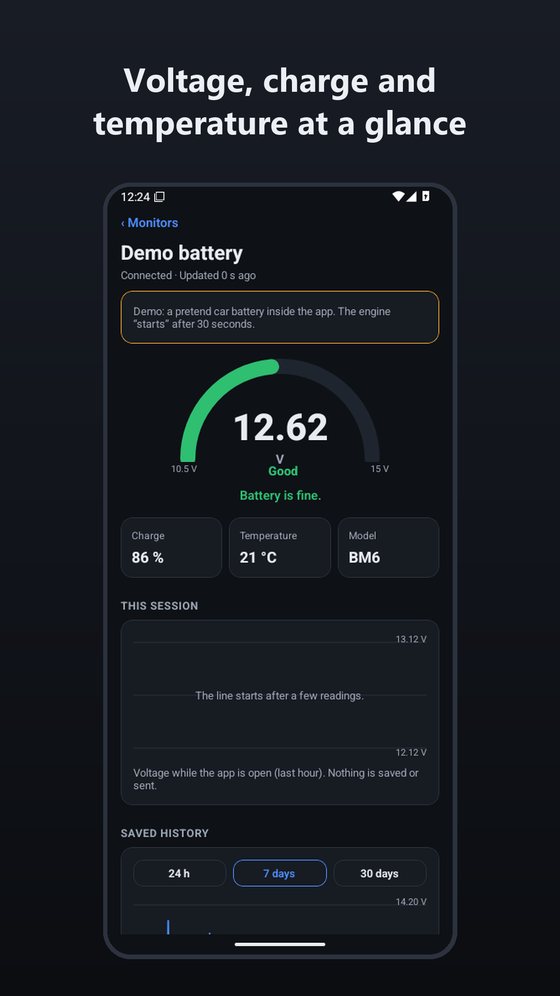
BattDial reads BM2, BM6 and BM7 style monitors and shows the voltage, the temperature (BM6 and BM7) and the % exactly as the monitor reports it: it does not recalculate it.
- Read-only: it never changes the monitor's settings. To change a battery type setting, use the monitor maker's app.
- This is an early version built from public technical descriptions. If the numbers look wrong compared with your multimeter, press "My monitor is not read" in the app: it opens an email to us with what the app received (never the device address), and you read it before sending.
For Android phones · Runwith (Auto Ace LLC)
Questions and answers
Why does my battery monitor show 14 V?
The engine is running or a charger is connected. That is the charging voltage, not the battery's state of charge.
Why is the percentage wrong on my lithium battery?
Most simple 12V monitors estimate % from voltage with a lead-acid table. A LiFePO4 battery keeps almost the same voltage over most of its range, so the estimate is unreliable unless the monitor has a lithium setting.
How accurate should a battery monitor be?
Compared with a good multimeter on the battery posts at the same moment, a difference of about 0.1 V or less is normal.